
Automatic door openers for seniors aren’t a luxury; they’re basic, overdue infrastructure for aging in place. If someone uses a walker or wheelchair, or has arthritis in both hands, forcing them to wrestle a heavy front door every day isn’t independence — it’s a slow-motion safety hazard. More near-falls happen at thresholds than on stairwells, yet we obsess over grab bars and non-slip floors while ignoring the daily strain of doors that pull, slam, drag, and resist. That’s backwards.
Automatic door openers are one of the highest-impact, lowest-visibility upgrades you can make to a senior’s home. They don’t scream “medical equipment” the way some accessibility gadgets do — they quietly erase one of the most frustrating barriers, the front door — and unlike trendy smart-home toys, they solve a problem that shows up every single day: carrying groceries, managing oxygen tubing, navigating a walker through a tight entry. In the accessibility world we talk about dignity, and dignity is something you engineer into the house. True hands-free access is the difference between “Can someone come open the door for me?” and “I’ve got this.”
Hands-Free Door Openers
What automatic door openers for seniors do, how they work, who benefits, typical costs, and how to choose and install one.
- What they are: motorized swing, track, or sliding systems activated by push-button, remote, motion sensor, or voice control, with obstruction/pressure sensors and an emergency release for safety.
- Who benefits and cost: seniors with limited mobility, wheelchair users, and caregivers; residential units typically run a few hundred to a couple thousand dollars for the device, plus installation depending on door type, weight, and power source.
- How to choose and install: match the system to door type, weight/size, power (battery vs. AC), control options, and safety features, and hire a certified installer for complex doors or code/ADA compliance.
What Is a Door Opener?
Here a “door opener” isn’t the knob or handle — it’s the powered system that opens, and often closes, the door for you automatically. Picture the door operators in hospitals and office buildings: push a button or approach a sensor and the door swings or slides open. Home-grade units take that commercial concept and shrink it for residential doors and real-life budgets. A residential automatic door opener is usually a motorized unit mounted above or near the door that moves it via an arm or track, activated by a wall push plate, handheld remote, key fob, keypad, smartphone, or schedule. Depending on the model, it can convert a standard front door into a fully powered, ADA-style entrance while keeping the lock hardware you already have.
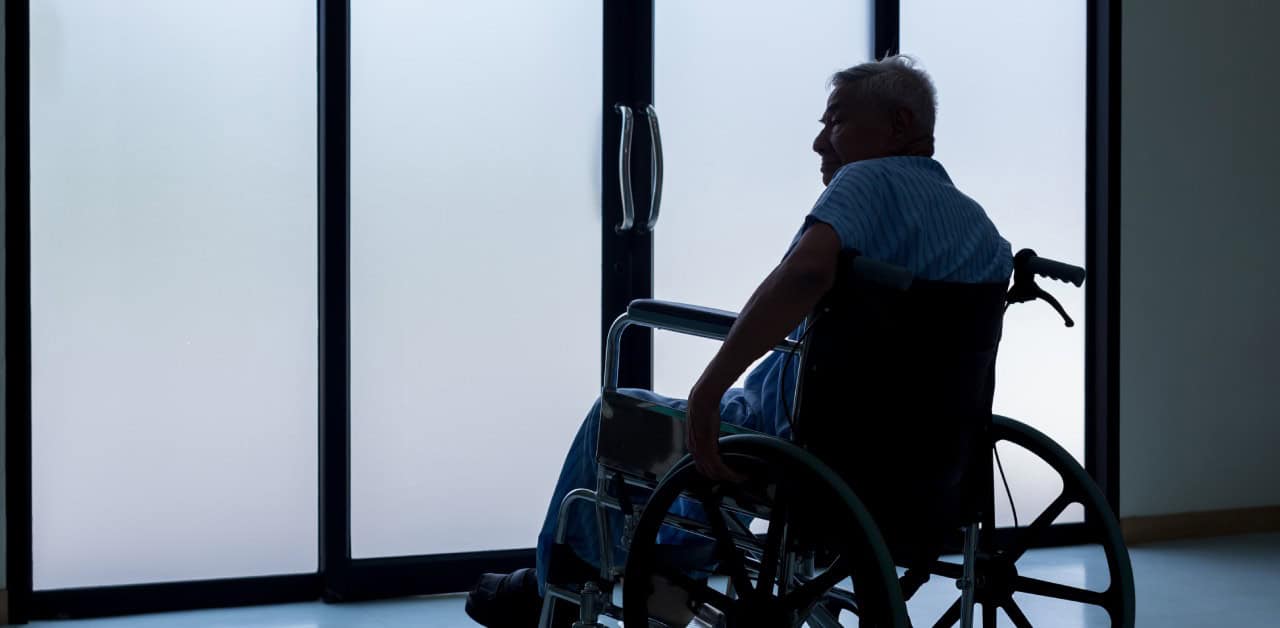
The impact is dramatic in practice. A power-wheelchair user living alone, who once had to back up, nudge the door with the footrests, and fight not to get stuck in the threshold, can tap a large wireless button on the chair tray instead — the door opens, holds long enough to exit, then closes and locks behind them. Same house, same door, completely different life. “Hands-free” sounds like marketing until you watch someone with Parkinson’s tremors manage the front door with one gentle thumb press instead of a violent tug and twist. It’s literally hands-free when hands don’t cooperate.
How Do Automatic Door Openers Work?
Most openers follow the same recipe: a motor, a controller, and a trigger. The motor provides the mechanical power to swing or slide the door through an articulated arm; the controller is the brain, receiving signals from remotes, sensors, or switches and deciding when and how fast to move the door and how long to hold it open; and safety sensors keep the door from closing on someone or slamming into an object.
Technically, units fall into two classes. Low-energy operators open slowly with less force, usually triggered by a button — common in homes because they’re quieter, safer, and don’t require the customization of strict commercial codes. Fully automatic operators, like supermarket doors, use motion sensing and higher forces, but they’re usually overkill and over-budget for a single-family home. From the homeowner’s side the process is simple: trigger the opener (button, remote, app, or sensor); the motor opens the door; it holds fully open for a preset time (often 10–30 seconds); then it gently closes and latches, sometimes engaging the lock. Many systems integrate with existing smart-home setups, so the same ecosystem running other devices can also open the front door — via voice commands inside the home, or automation timed to a caregiver’s regular arrival.
Insider Tip: Don’t get hypnotized by features. The best systems are the ones a senior understands in 10 seconds — a big button at wheelchair height and a remote on their keychain solves 95% of real-world situations.
Who Can Benefit From an Automatic Door Opener?
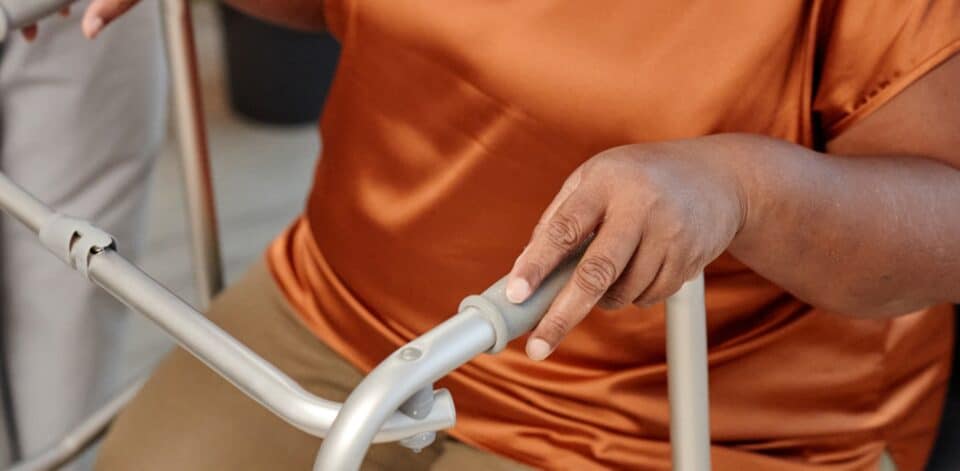
“Seniors” is too vague. The people who benefit most are those whose relationship with a standard door has turned adversarial: someone on a walker who must park it, open the door, reposition, and hope it doesn’t slam; someone with arthritis or hand weakness who can’t reliably grip and twist a knob, especially on heavy older doors; a wheelchair user who has to back up or ram the door to get through. The biggest wins often show up in the “gray area” — people who aren’t fully disabled but are clearly struggling. A fiercely independent senior who refuses a ramp or stairlift because she doesn’t want the house to look like a facility may still quietly cancel outings on days her hands hurt too much to beat the door; a powered opener lets her keep her stairs and her aesthetics while removing the most demoralizing barrier.
Openers help caregivers and family too. Anyone who’s tried to get a frail parent inside while carrying bags, supporting them, and juggling keys understands — a remote- or smartphone-activated opener can unlock and open the door before they even step onto the porch. For households already treating home accessibility seriously, it’s a logical extension of ramps and bathroom modifications.
Insider Tip: If your loved one has already had one fall at the doorstep, treat an automatic opener like a fall-prevention device, not a convenience. Clinically, that’s what it is.
Are Automatic Door Openers Safe?
Installed correctly, automatic door openers are often safer than traditional doors. The fear — “will it hit Mom?” — comes from older commercial systems with brute-force motors and no nuanced sensing. Modern residential operators use lower forces, soft-start/soft-stop motion, and adjustable speed, and many are modeled on the ANSI/BHMA A156.19 standard for low-energy operators, which limits opening speeds and forces to reduce impact risk. Typical safety features: obstruction detection that reverses or halts the door on resistance; adjustable hold-open times so it won’t start closing mid-passage; manual override so the door works normally if power fails; and optional electric strikes or smart locks for security when idle.
The real gain is in reducing user error. Fall reports show a common chain reaction: juggling groceries, fumbling keys, opening a heavy door halfway, losing balance as it drifts closed. Automation removes three variables — heavy lifting, speed, and timing — from someone with poor balance, depth perception, or reaction time. But bad installation undercuts all of it: a sensor mounted too high won’t protect wheelchair users, and a door set too fast or with too short a hold-open time becomes a countdown timer for someone who moves slowly. When seniors are involved, tune the system to the slowest, least stable person who will use it.
Insider Tip: Always test with the actual user, not the adult children. If the opener feels slow to a 45-year-old, it’s probably perfect for an 85-year-old using a walker.
How Much Do Automatic Door Openers Cost?
These aren’t $99 gadgets, but they aren’t unreachable luxury items either. For most U.S. homes, a quality residential opener with installation typically runs about $1,200–$3,500, depending on brand and features, door type and condition, whether you need electric strikes or new locks or structural reinforcement, and wiring complexity. Basic single-button setups on a standard door land toward the low end; systems integrated with video intercoms, smart locks, or multiple doors climb higher. Accessibility contractors report that roughly 60–70% of front-door-only installations for seniors fall in the $1,500–$2,500 window.
Ongoing costs are modest — occasional servicing, remote batteries, minor adjustments. Against the cost of a single fall-related hospitalization, which the CDC has pegged in the tens of thousands of dollars in many cases, the math isn’t subtle. Factor in the non-monetary costs too: daily joint strain, the intimidation of leaving alone, the constant negotiation between “I’d like to go out” and “it’s not worth the struggle.” Those never appear on an invoice but quietly shape quality of life.
How to Choose the Best Automatic Door Opener
Choosing isn’t about the flashiest brochure; it’s about matching the device to your door, your user, and your home. Think like an engineer and a caregiver at once: How does the person move? How heavy is the door? Where’s the nearest power source? What happens in a storm-induced outage?
1. Type of Door
Inward- or outward-swinging? Solid wood, steel, or fiberglass? Is there a storm door in front? Swing direction controls where the operator arm mounts; heavy solid-wood doors need more torque; glass inserts and sidelights limit bracket placement. Mounting an opener on a flimsy storm door is a bad idea — usually you power the primary entry door and then decide whether the storm door is even necessary. Sliding patio doors need an entirely different, specialized system with careful track compatibility.
2. Weight and Size of the Door
Door weight is the difference between a smooth open and a groaning motor that dies early. Operators list a maximum door weight and width; if you don’t know yours, an experienced installer can estimate from material and thickness. Oversized double doors or iron-clad decorative doors can still be automated, but may need higher-grade motors or dual systems. Keep the opener working comfortably within its rated capacity, not right at the limit.
3. Power Source
Some systems plug into an outlet; others are hardwired. Backup power is critical, especially where electricity is unreliable — a senior who depends on the opener for a heavy door shouldn’t be stranded in an outage. Answer: Is there a nearby outlet or junction box? Can wiring be run discreetly? Does the unit have battery backup, and for how long? In storm-prone regions, tie door operation into a broader backup-power plan (generators, UPS units).
4. Control Options
Seniors don’t all use technology the same way, so mix control modes: large wall-mounted push plates at wheelchair and standing heights; keychain or lanyard remotes; integrated keypads; smartphone or tablet apps for tech-comfortable users or family; and voice control through a smart-home hub (with security carefully managed). A useful design question is “What do you lose most often — keys, phone, or remote?” and then build around the answer. For someone with mild cognitive impairment, a single large, high-contrast push plate can be findable even on bad-memory days.
Insider Tip: Never rely exclusively on a smartphone app for seniors. It’s a backup, not the main interface.
5. Safety Features
Look for adjustable opening and closing speeds, soft-start/soft-stop operation, obstruction detection or current-sensing to avoid crushing force, manual operation for emergencies, and clear LED indicators of active/locked status. Ask bluntly: “Show me how this reacts if someone is standing in the doorway when it tries to close.” If the salesperson can’t demonstrate, move on — seniors with slower gait or vision issues need a system that errs toward caution.
6. Installation Requirements
Some units are installer-only; some can be DIY’d by the very handy. Strong opinion: when the door is a primary exit for an older adult, pay a professional — you don’t want guesswork on reinforcing weak frames, setting proper closers, integrating locks and strikes, or tuning the opener to the user’s pace. If you’re already working with a company on home accessibility, bundle the project; installers who also understand ramps, bathroom safety, and dementia-safety upgrades make better decisions about thresholds, clearances, and door-swing paths.
Best Automatic Door Openers for Seniors
Most seniors and caregivers just need a few solid, field-tested options. These are categories and representative types that come up often in accessibility installations — availability and branding shift over time, so focus on functionality and class rather than chasing exact SKUs.
1. Residential Automatic Swing-Door Opener (the workhorse)
Compact units designed to retrofit onto existing residential swing doors, typically offering low-energy ADA-style opening, multiple activation options (wall plates, remotes, keypads), integration-compatible electric strikes to work with your existing deadbolt, and adjustable timing and speed. These are the most common choice for seniors on walkers or wheelchairs, usually installed in half a day if the door and frame are in decent shape. They’re ideal for clients who want simple “push button, door opens” function without diving into smart-home ecosystems — and subtle enough that visitors assume you just have a beefier door closer.
2. Video Intercom as a Companion System
A video intercom isn’t a door opener, but it’s one of the smartest companions to pair with one, especially for seniors living alone. A unit like the AIPHONE JOS-1VW gives a clear view of who’s at the door and lets the senior communicate without rushing. Tied to an electric strike and an opener, the workflow becomes: doorbell rings and video appears; senior or caregiver confirms identity; they press unlock/open from inside, and the opener and lock coordinate. That eliminates the frantic shuffle from recliner to door and creates a controlled, secure entrance far safer than leaving the door unlocked.
3. Smart-Lock-Integrated Systems
A newer generation marries openers with mainstream smart locks, so a smartphone or code entry can unlock the deadbolt, trigger the opener, and log who came and went. These are powerful for adult children managing access for multiple caregivers or medical professionals. The catch: more moving parts means more chances to glitch, so in homes with high technology anxiety, a simpler dedicated-opener-plus-dedicated-lock setup is often better even if the two aren’t fully integrated.
4. Sliding-Door Openers for Patio Access
For seniors who move often between living room and patio, automating a sliding glass door can matter as much as the front door. These use a motorized track and often include remote or push-button control, adjustable open width (ventilation vs. full access), and integrated lock control. The challenge is that sliding doors are often old, out-of-square, and heavier than they look — a good contractor re-levels the track, replaces worn rollers, and addresses air leaks first. Done right, a powered slider turns a barely usable patio into a daily retreat.
5. Budget-Friendly, Limited-Use Openers
A small niche of simpler, cheaper openers is built for lighter interior doors — bedroom, bathroom, hallway. They aren’t robust enough for exterior doors, but they help inside: someone with severe arthritis might automate the door between garage and kitchen to cut the load-bearing strain of carrying bags, rounding out an accessible path from driveway to shower.
Insider Tip: Don’t get seduced by the cheapest unit if it’s going on the front door. That door is life-critical — treat it that way.
How to Install an Automatic Door Opener
Installation is where good intentions die if you underestimate the complexity. A solid install breaks into steps:
- Assess the door and frame. Inspect alignment, hinges, frame integrity, threshold height, and swing clearance. If the door sticks or drags, fix that before adding an opener.
- Plan power and controls. Decide where to pull power, where to mount push plates, and how to route wiring without creating trip hazards — watching how the senior actually approaches the door with their mobility device.
- Mount the operator. Usually above the door on the push or pull side, with proper anchors, arms adjusted so the door opens fully without overstraining the hinges.
- Integrate locks and security. Coordinate any electric strike or smart lock so the door is both secure and reliable, and test multiple cycles: lock-then-open, open-then-lock, emergency manual override.
- Tune the system. Set opening speed, closing speed, and hold-open time, then test with the senior in real use — with a walker, in a wheelchair, carrying a bag, on a bad-joint day.
- Train the user and family. This step is criminally overlooked. Walk everyone through normal operation, power-failure backup, and simple troubleshooting, with written instructions, large-font labels, and color-coded buttons.
If you’re combining the opener with ramps, railings, or bathroom work, handle it as part of a larger accessibility package so one team is thinking holistically about how someone moves through the whole house, from driveway to bed.
Final Thoughts
Hands-free home access isn’t a tagline; it’s a design philosophy. If your loved one has to wrestle their way out of their own house, the house is winning and they’re losing — and we’d never accept a public building that forced people with walkers to yank a heavy door, so why accept it at home? Few single-device upgrades change the emotional landscape of a house as quietly as a powered door opener: “I don’t want to bother anyone” becomes “I’ll step outside for some fresh air,” caregivers come and go without frantic dashes, and the front entrance stops being a test and goes back to being a threshold.
If you’re already thinking about grab bars, non-slip flooring, safer bathrooms, or kitchen accessibility, you’re halfway to the right mindset — finish the path and make the front door as easy to navigate as the rest of the house. Independence isn’t just whether a senior can move around their home; it’s whether the home is helping or quietly fighting them. An automatic door opener is one of the clearest ways to put the house on their side.
Questions and Answers
Who benefits most from automatic door openers at home? Seniors with limited mobility — and their caregivers — gain safer, easier access.
What features should I choose for hands-free door openers? Prioritize safety sensors, easy controls, and reliable power with battery backup.
How difficult is installation? Most units offer professional or DIY installation; a primary exit door is best left to a pro.
Aren’t automatic door openers too expensive for seniors? Costs vary, but weighed against a fall-related hospitalization they’re often a bargain, and some programs offer assistance.
What safety measures do hands-free openers include? Obstruction sensors, soft-start/soft-stop motors, adjustable timing, and emergency manual release.
Can automatic openers integrate with existing doors and locks? Many retrofit to existing doors, but confirm lock and frame compatibility first.